Filter: Ink/Toner Type
- 15 Oct, 2025
| Filter Name | Product |
|---|---|
| Ink/Toner Type | Printer Ink/Toner |
What is this filter?
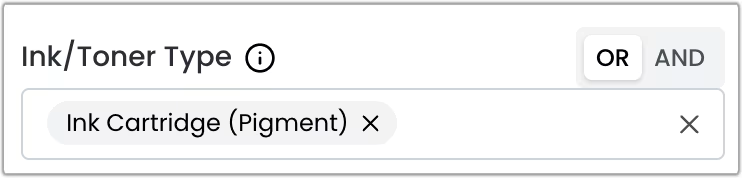
This filter is a multi-select component that allows you to select multiple options at the same time. Combined with the OR and AND operators, it provides a flexible way to filter your search results.
When to Use This Filter
Use this filter when you need to find specific types of printing supplies based on your printing needs:
- Photo printing: Filter for dye-based inks, which produce vibrant colors and smooth gradients
- Document printing: Filter for pigment-based inks, which offer sharper text and better longevity
- Refillable printers: Filter for ink bottles if you have a tank-based printer system
- Laser printers: Filter for toner cartridges based on your printer’s toner system
Available Options
- Ink Cartridge (Dye): Select dye-based ink cartridges (optimal for photo printing with vibrant colors);
- Ink Cartridge (Pigment): Select pigment-based ink cartridges (optimal for text printing with sharp, long-lasting results);
- Ink Bottle (Dye): Select dye-based ink bottles (for refillable tank printers);
- Toner Single Component: Select single component toner cartridges (toner + drum unit);
- Toner Dual Component: Select dual component toner cartridges (drum unit not included).
Want to know more?
Logical Operators
You can use the OR and AND operators to combine multiple options and refine your search.
OR Operator (Default)
Returns products that match at least one of the selected options.
Example: Selecting “Ink Cartridge (Dye)” OR “Ink Cartridge (Pigment)” will show all ink cartridges, regardless of whether they use dye or pigment ink.
AND Operator
Returns products that match all of the selected options simultaneously.
Example: In this particular case, the AND operator will not return any results, since there are no products that are more than one type at the same time.